> ## Documentation Index
> Fetch the complete documentation index at: https://meganharrisonconsulting.mintlify.site/llms.txt
> Use this file to discover all available pages before exploring further.
# Create a Change Event
> Create a change event to capture a potential cost, scope, or schedule change before it becomes a formal change order.
Use this guide to record a potential change, tie it to its source, price the impact, and prepare it for a Prime PCO, Commitment PCO, or later contract change.
## Prerequisites
* The project is already created.
* You have access to the **Change Events** tool.
* You know the reason for the change and what source record, budget code, and estimated cost impact should be tracked.
## What you'll update
Capture the title, description, source, reason, scope, and revenue expectations for the change.
Add line items and backup files so the change can move into owner-side or downstream pricing.
## Create the change event
In the project's **Change Events** tool, click **Create**.
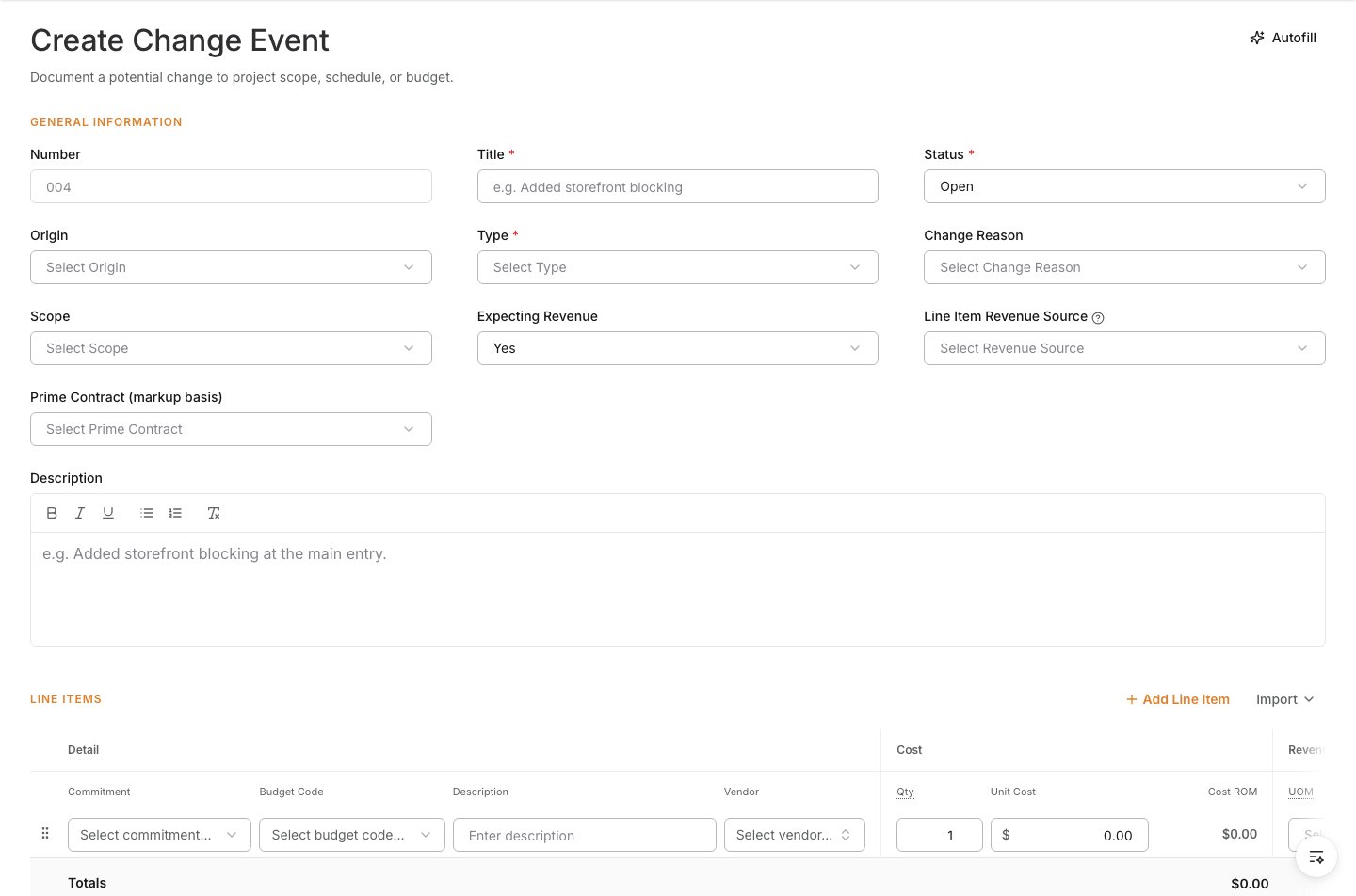 Enter the fields that describe the change clearly.
| Field | What to enter |
| ------------- | ------------------------------------------------------------------------ |
| Number | Leave blank to auto-generate or enter the number your team uses. |
| Title | A short name that clearly identifies the change. |
| Description | A plain-language summary of what changed and why it matters. |
| Type | The type that best describes the change. |
| Change Reason | The reason, such as owner request or unforeseen condition. |
| Scope | Whether the change is in scope, out of scope, or still to be determined. |
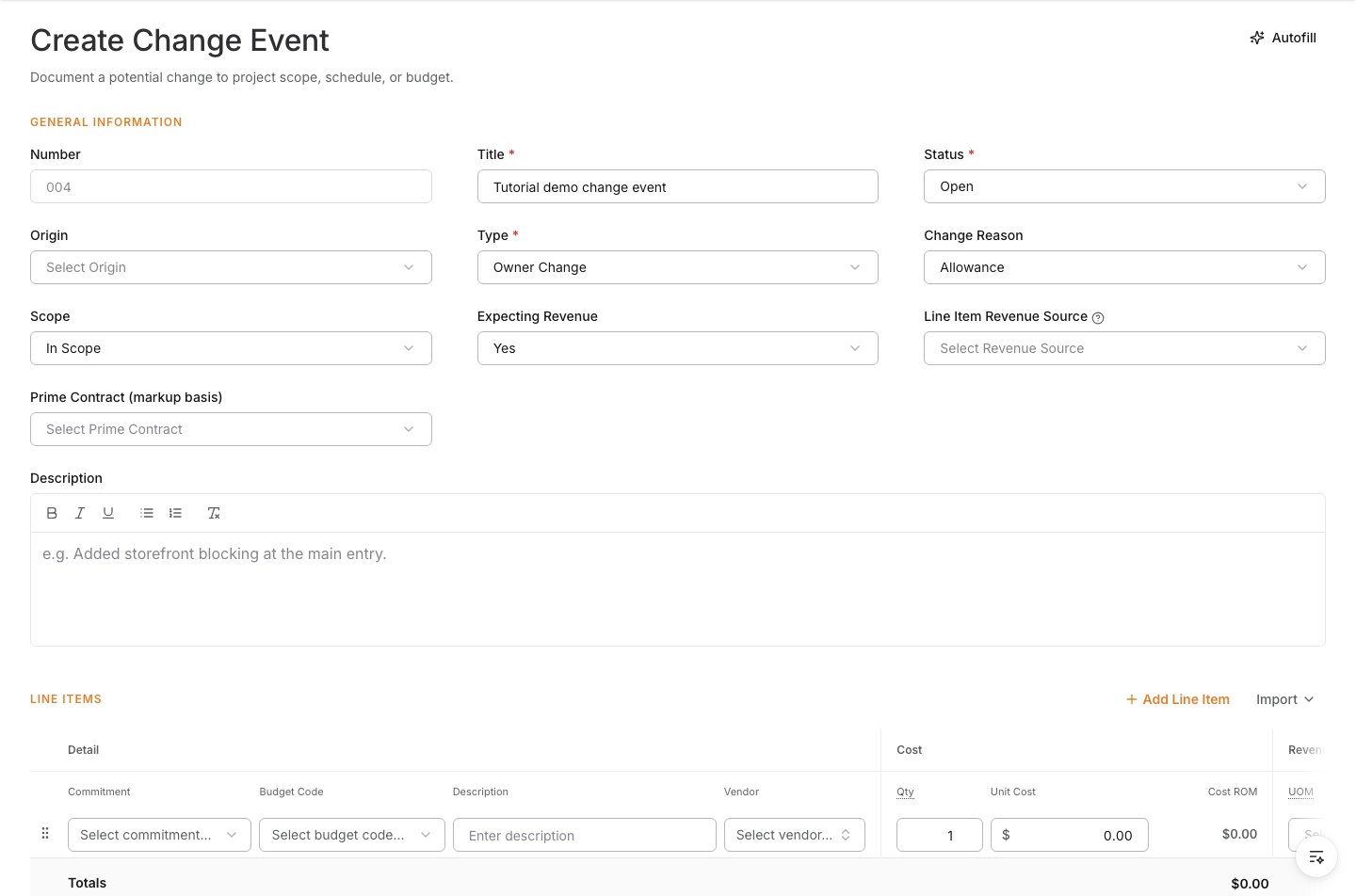
Enter the fields that describe the change clearly.
| Field | What to enter |
| ------------- | ------------------------------------------------------------------------ |
| Number | Leave blank to auto-generate or enter the number your team uses. |
| Title | A short name that clearly identifies the change. |
| Description | A plain-language summary of what changed and why it matters. |
| Type | The type that best describes the change. |
| Change Reason | The reason, such as owner request or unforeseen condition. |
| Scope | Whether the change is in scope, out of scope, or still to be determined. |
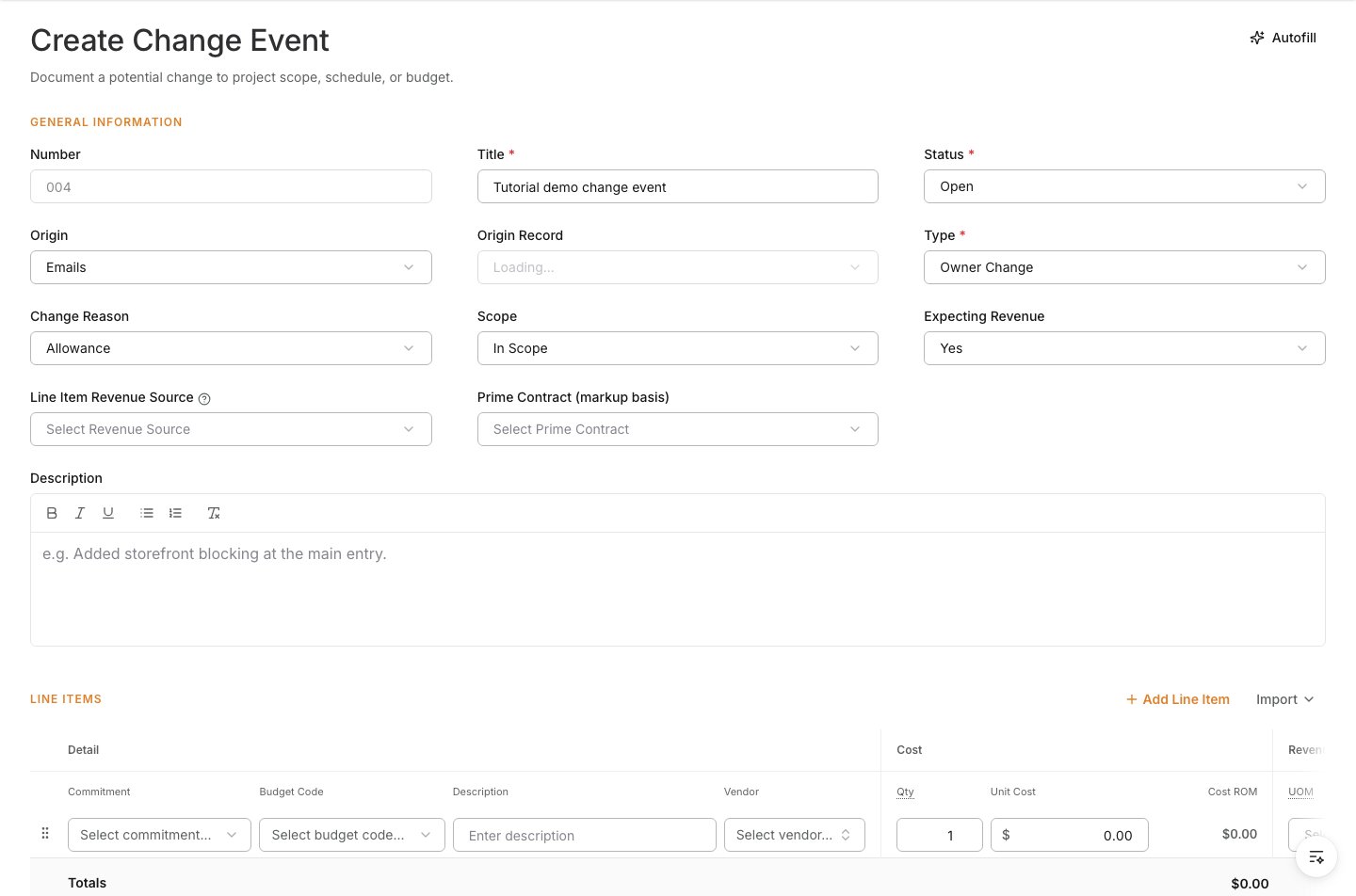
 If the change came from another project record, set **Origin** and link the **Origin Record** so the event stays traceable.
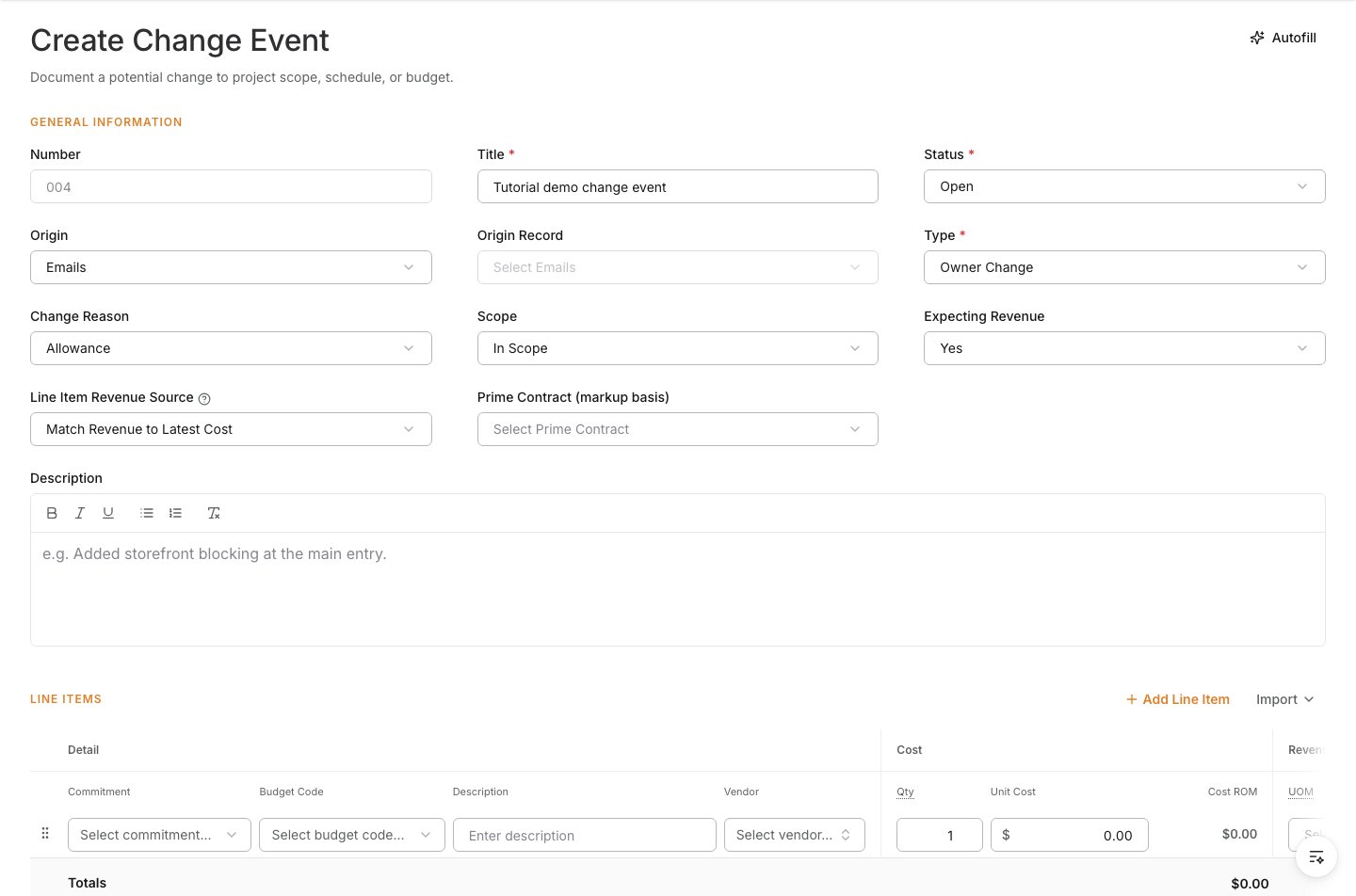
 If the change may be billed upstream, set the revenue fields before pricing the event.
| Field | What it controls |
| ------------------------ | ------------------------------------------------------------------------------ |
| Expecting Revenue | Whether the change may be recovered from the owner or another upstream party. |
| Line Item Revenue Source | Where revenue values are calculated or entered. |
| Prime Contract | The contract used for owner-facing markup or pricing when revenue is expected. |
If the change may be billed upstream, set the revenue fields before pricing the event.
| Field | What it controls |
| ------------------------ | ------------------------------------------------------------------------------ |
| Expecting Revenue | Whether the change may be recovered from the owner or another upstream party. |
| Line Item Revenue Source | Where revenue values are calculated or entered. |
| Prime Contract | The contract used for owner-facing markup or pricing when revenue is expected. |
 Add one line for each cost impact and assign the right budget code.
| Field | What to enter |
| -------------------- | --------------------------------------------------------------------- |
| Budget Code | The code that should carry the estimated cost. |
| Description | The cost or scope covered by the line. |
| Quantity / Unit Cost | Use these when the estimate is unit based. |
| Revenue values | Enter or review them if the change is expected to be billed upstream. |
Add one line for each cost impact and assign the right budget code.
| Field | What to enter |
| -------------------- | --------------------------------------------------------------------- |
| Budget Code | The code that should carry the estimated cost. |
| Description | The cost or scope covered by the line. |
| Quantity / Unit Cost | Use these when the estimate is unit based. |
| Revenue values | Enter or review them if the change is expected to be billed upstream. |
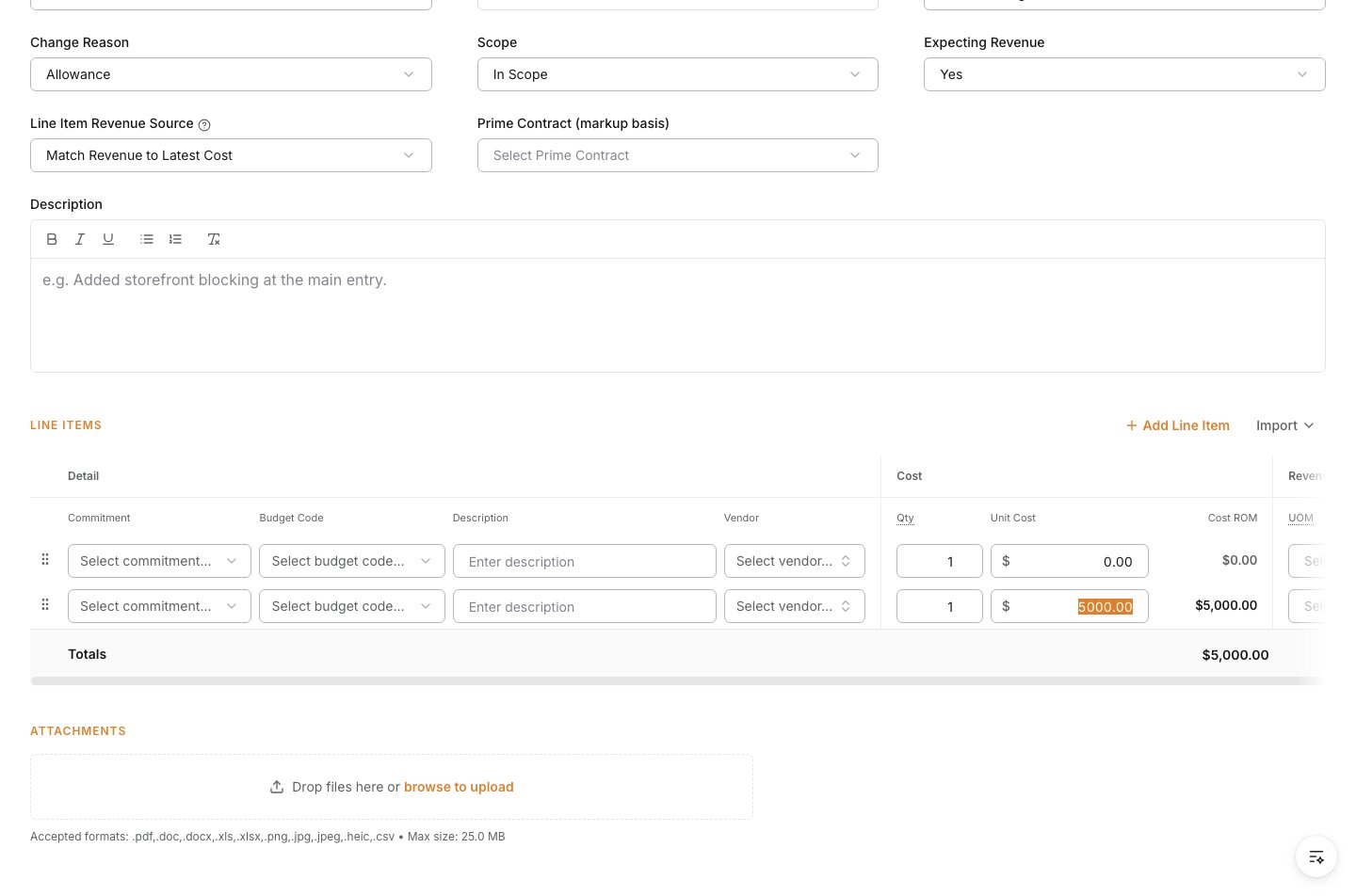 Upload RFIs, drawings, photos, vendor quotes, or other backup that explains the change and supports pricing.
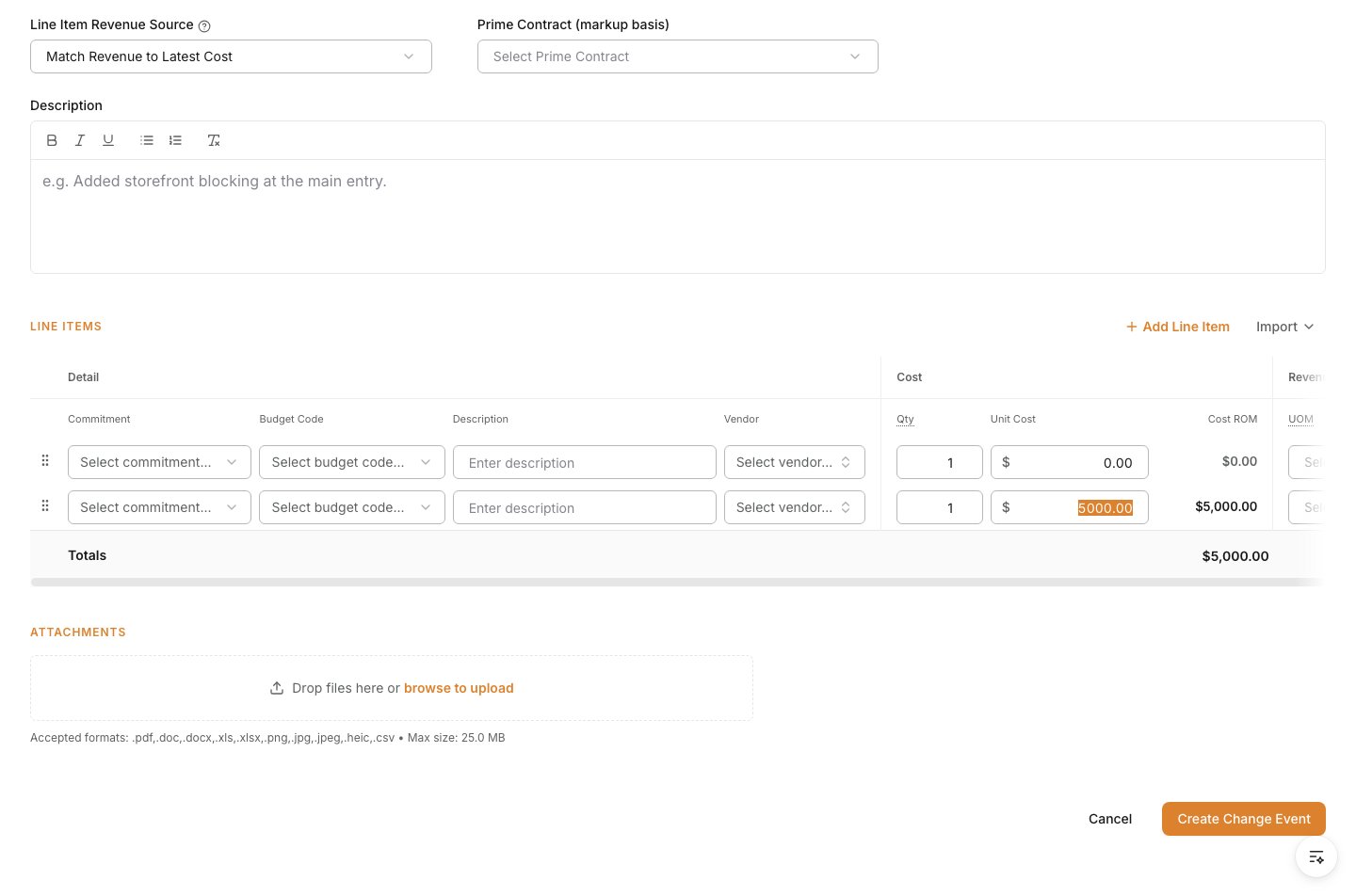 Review the form, then click **Create Change Event**.
 ## Verify the result
Confirm the change event appears in the **Change Events** log in **Open** status and that its line items, source information, and attachments are available for review.
## Troubleshooting
* **The change should be tied to another record**: Set the origin before saving so the event is traceable from the start.
* **The cost impact is incomplete**: Add the missing line items or backup before using the event to create a PCO.
* **The event may be billed upstream**: Review the revenue-handling fields before the pricing moves into owner-facing workflows.
## Related tasks
* [Change Events overview](/change-events/change-events)
* [Create a Prime PCO](/change-orders/create-a-prime-pco)
* [Create a Commitment PCO](/change-orders/create-a-commitment-pco)
## Verify the result
Confirm the change event appears in the **Change Events** log in **Open** status and that its line items, source information, and attachments are available for review.
## Troubleshooting
* **The change should be tied to another record**: Set the origin before saving so the event is traceable from the start.
* **The cost impact is incomplete**: Add the missing line items or backup before using the event to create a PCO.
* **The event may be billed upstream**: Review the revenue-handling fields before the pricing moves into owner-facing workflows.
## Related tasks
* [Change Events overview](/change-events/change-events)
* [Create a Prime PCO](/change-orders/create-a-prime-pco)
* [Create a Commitment PCO](/change-orders/create-a-commitment-pco)